
In short
For basic upkeep, Windows Storage Sense is enough. For a complete free alternative with no ads and no registry cleaning, Kaury Clean brings caches, startup apps, big files and repairs together. BleachBit suits you if you want open source or use Linux.
Why look for an alternative?
The same reasons come up: the free version keeps nudging you toward a subscription, the interface has grown busy over the years, and the registry cleaner is a worry, rightly so. Deleting registry keys doesn't make a PC measurably faster, and one mistake can stop a program, or Windows, from starting. Microsoft doesn't support the use of these tools either.
The comparison
| Kaury Clean | CCleaner Free | Storage Sense (Windows) | BleachBit | |
|---|---|---|---|---|
| Price | Free, no paid version | Free, paid Pro version | Built into Windows | Free |
| Upsells and ads | None | Prompts to upgrade to Pro | None | None |
| Registry cleaning | No, on purpose | Yes | No | No |
| App and browser caches | Yes, nearly 20 apps and browsers | Yes | Partial | Yes, very thorough |
| Startup apps | Yes | Yes | No (Task Manager) | No |
| Big files and duplicates | Yes, via the Recycle Bin | Duplicates | Recommendations | No |
| Windows repair | DISM, SFC, disk check, one click | No | No | No |
| Open source | Yes, MIT licence | No | No | Yes, open source |
| Platforms | Windows 10 and 11 | Windows, macOS, Android | Windows 10 and 11 | Windows, Linux |
Comparison made on October 1, 2026 from the public versions. Other programs' features may change: check their websites.
What Kaury Clean does
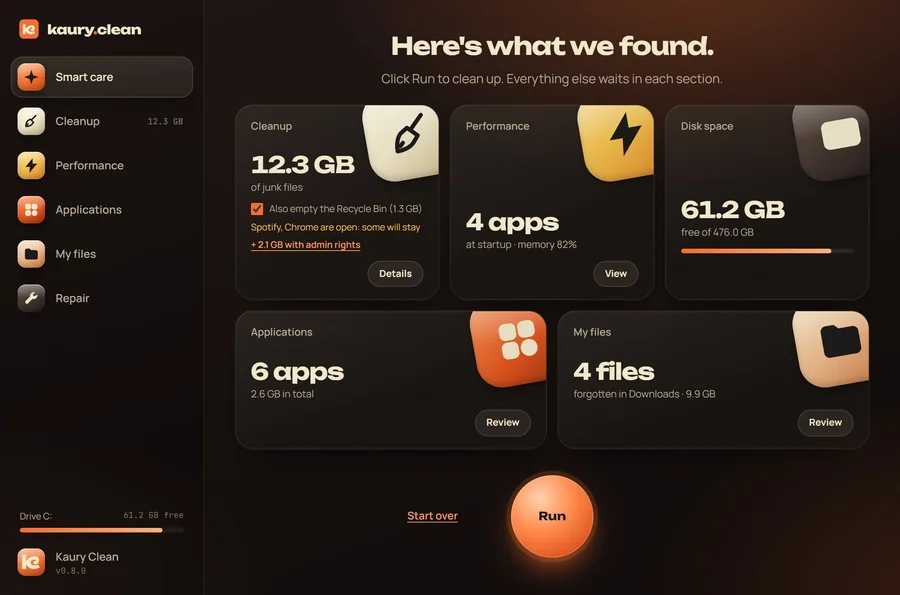
- One button for upkeep: temp files, Windows Update leftovers, app and browser caches, with the details before cleaning.
- What slows you down: apps that launch with Windows (disabled, never deleted) and the ones filling your memory.
- Your files: big files, duplicates compared by content, old downloads, a map of your disk space. Everything goes through the Recycle Bin.
- Repair: DISM, SFC, disk check and a restore point, with no command line.
And above all what it doesn't do: no registry, no fake “RAM cleaning”, no account, no stats sent anywhere. The safety rules are detailed on the Security page. The interface is in English and French.
When to pick something else
- You're on a Mac or Linux: Kaury Clean is Windows only. BleachBit runs on Linux.
- You just want to clear temp files now and then: Windows Storage Sense is enough, and it's already installed.
- You want an open source tool that also runs on Linux: BleachBit. Kaury Clean is open source too (MIT licence), but Windows only for now.
Try Kaury Clean
Free, 1.6 MB, English and French. Installs in two minutes and uninstalls like any other app.
Download for WindowsFAQ
Is Kaury Clean really free?
Yes: no paid version, no ads, no account, no bundled software. It's a project by Kaury Studio, a Swiss creative studio.
Why not clean the registry?
Because it brings no measurable speed-up, and one wrongly deleted key can break Windows. The risk isn't worth it.
CCleaner is a trademark of its publisher, BleachBit of its authors. Kaury Clean is not affiliated with either. More guides: free up disk space · speed up startup.